Home / How to play Drag Bike 201m Sunmori
First race
How to play Drag Bike 201m Sunmori
A first race in Drag Bike 201m Sunmori is a standing start: gas and two brakes, with a gear readout on the HUD. The store screenshots show these labels.
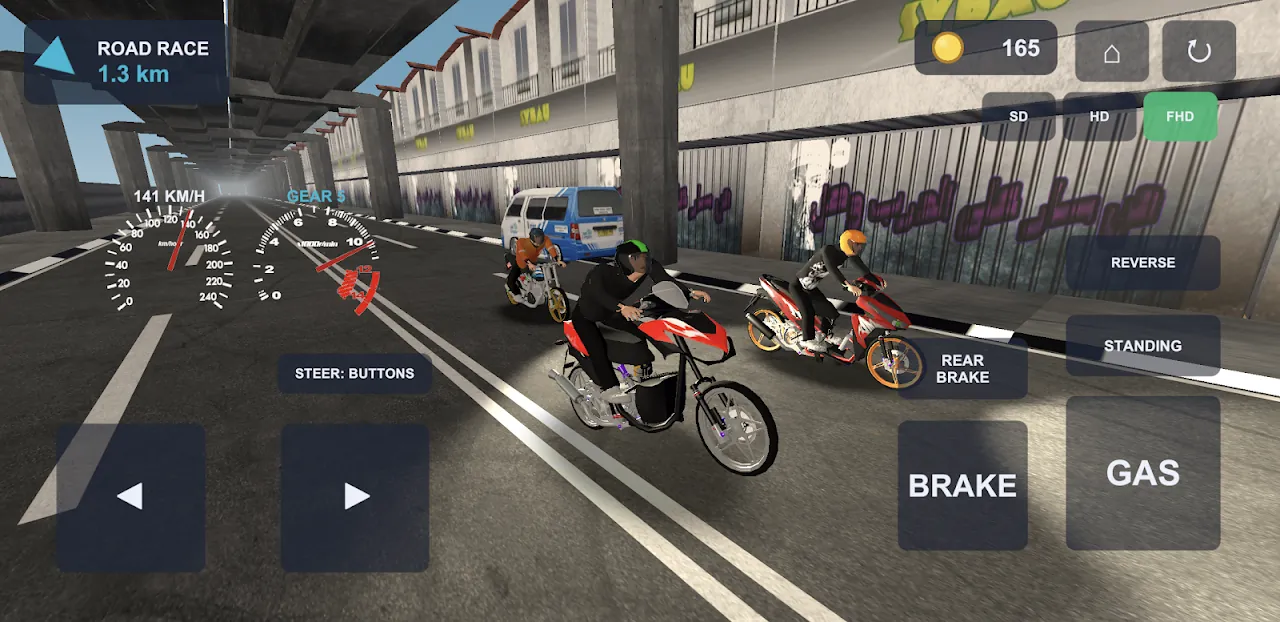
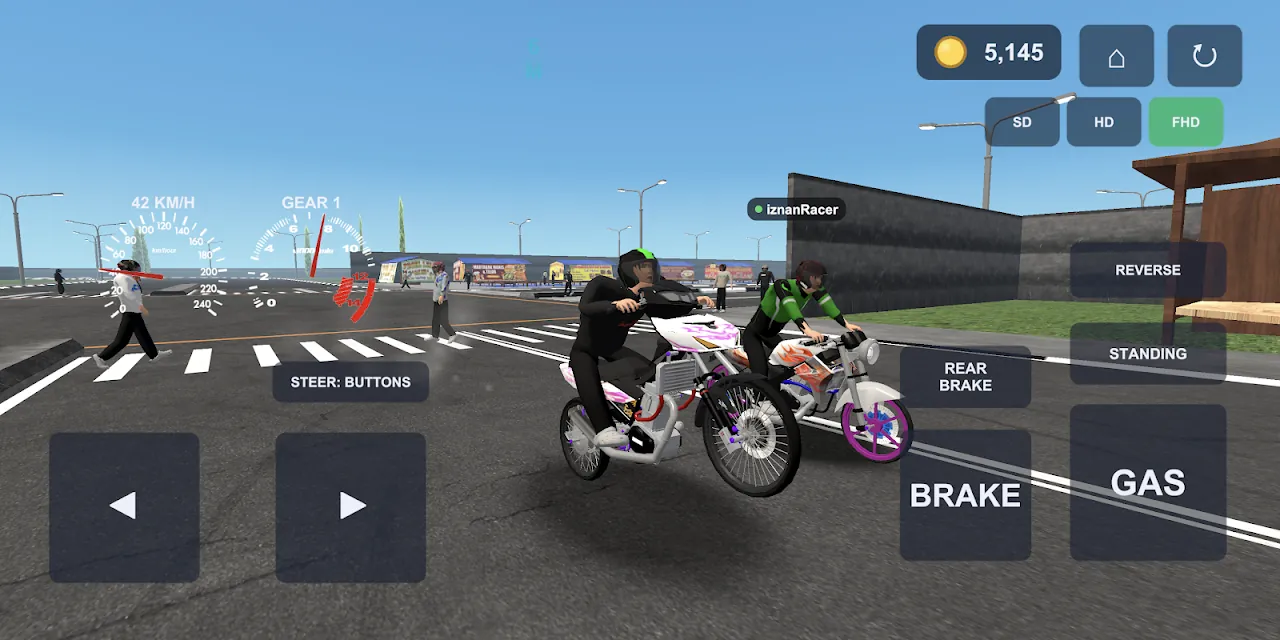
Controls that are printed on the screen
Play screenshot 2 is a road-race lap. The right cluster reads REVERSE, STANDING, REAR BRAKE, BRAKE, and GAS. The left side is a directional pad, and a label says STEER: BUTTONS. The centre gauges show speed in KM/H and a gear number. I am describing those labels, not a hidden control map. Quality is a three-way pill: SD, HD, FHD. In that shot FHD is the selected one.
Launch and the front wheel
DRAG 201 M is a standing start on two lanes. The Play text says the result comes down to thousandths of a second, and that too much gas at the leave makes the front wheel climb. That is the whole launch lesson the developer wrote down. Industry.co.id has a separate Indonesian article on start timing, throttle, and brake. I link it below. I am not copying a millisecond from it into this page, because I want the numbered steps to stay inside what the store itself shows.
Shifting
The HUD prints GEAR and a number. Across the five Play screenshots the number is 1, 2, or 5 depending on the scene, which only tells me the gearbox is shown, not the ratio inside it. There is no published shift light RPM. The tips page is where reaction time and wheelie height go; the public screenshots establish the gear display, but not whether or how the player manually shifts.
Brakes and a miss
Two brake buttons are on screen, BRAKE and REAR BRAKE. The description says grabbing the front brake too hard flips the bike forward, and leaving the racing line can drop rider and bike into a ragdoll with tyre smoke and exhaust flame. ROAD RACE is the mode where brake points matter, because it is the one with corners. The 201 m strip emphasises the launch; the public screenshots document a gear display rather than a manual-shifting procedure.
Ride a first drag in Drag Bike 201m Sunmori
- Open the garage and select a bike. The Play select screenshot shows 4er0x already highlighted.
- Start DRAG 201 M if you want the 201-metre sprint the game is named for.
- Read the on-screen controls for the selected mode. The store screenshot also labels STANDING, without explaining its function.
- Roll on GAS. The Play description says too much throttle lifts the front wheel.
- Watch the GEAR readout. Screenshots show 1, 2 and 5 in different scenes; they do not document a shift button.
- Use BRAKE and REAR BRAKE as separate buttons. The description says a hard front brake flips the bike.
Questions
Is there a keyboard layout?
The screenshots show touch buttons. A keyboard only enters the picture if you are on an emulator, and the store does not publish a keymap.
Which mode should a first race be?
DRAG 201 M. It is the distance in the title. ROAD RACE adds corners before you have the launch.
Can I play the first race offline?
The Play description says the game works with no internet connection.
Sources
- Google Play — Drag Bike 201m Sunmori — checked 2026-11-17
- Industry.co.id — start, throttle and brake — checked 2026-11-17
- YouTube — DRAG BIKE 201M SUNMORI gameplay — checked 2026-11-17